Using Typst to build this website
Under construction...
July 4, 2026
This post exists to exercise every feature of the site template: sidenotes, margin notes, figures in three widths, math, and code. If something here looks wrong, the template or the Typst HTML export has drifted from what tufte.css expectsSidenotes like this one are Typst footnotes, restyled by a show rule in lib/tufte.typ. On wide screens they sit in the margin; on narrow screens, tap the number to reveal them..
Sidenotes and margin notes
Sidenotes are the signature Tufte deviceA second sidenote, to check that the checkbox ids stay unique and the CSS counter keeps counting.. Margin notes are the unnumbered variant. This is a margin note. No number, and on small screens the ⊕ symbol toggles it. They share the margin with sidenotes and figure captions, in document order.
Figures
A regular figure occupies the main column, with its caption in the margin:
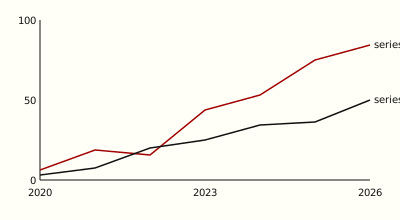
A margin figure is small and lives entirely in the margin. The same chart as a margin figure. Body text flows past it as if it were a margin note, which, in markup terms, it is.
And a full-width figure spans the entire page:
Math
Typst exports math as MathML. Inline math like should sit on the text baseline, and display math is centered in the text column:
Wide equations can take the full page width instead, like full-width figures:
Code
Code blocks are pre > code, which tufte.css sets in a monospace face at the text measure:
fn main() {
    let greeting = "hello, tufte";
    println!("{greeting}");
}
Long lines fit better in a full-width block:
find content -name '*.typ' -print0 | while IFS= read -r -d '' src; do typst compile --features html --format html --root . "$src" "out/${src#content/}"; doneInline code like typst compile works too.